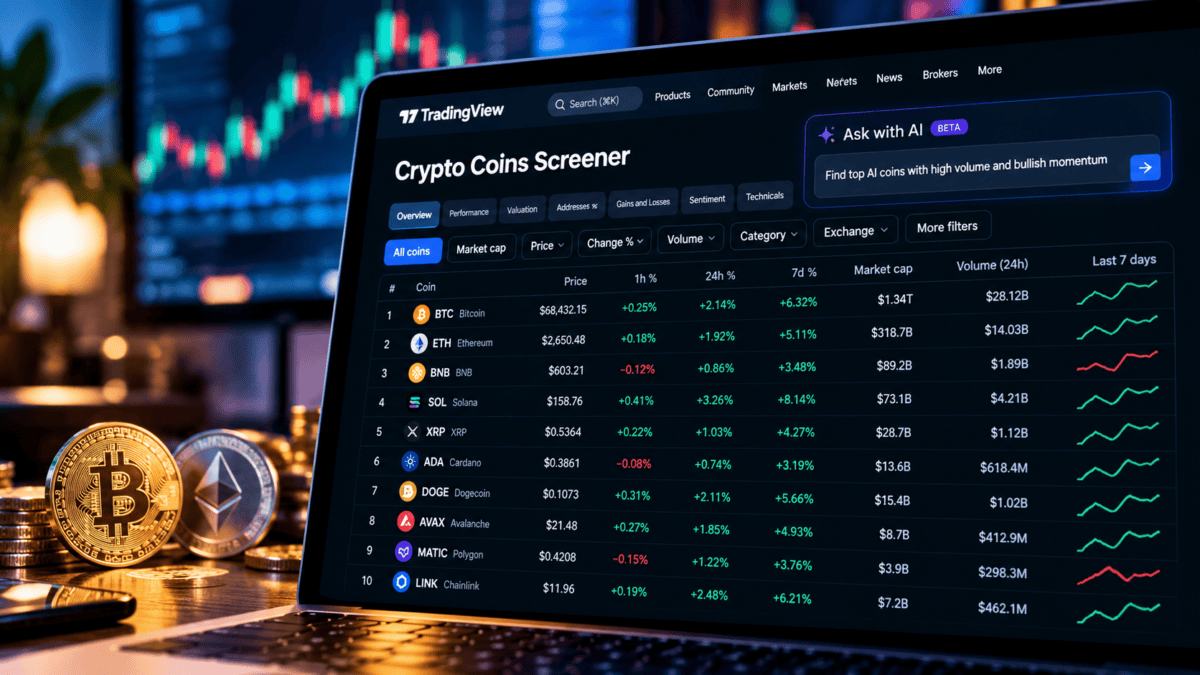
Crypto Coins Screener AI is now available on TradingView, allowing users to describe a cryptocurrency search in everyday language. Announced on October 22, 2026, the update translates written requests into filters, table columns and sorted results. TradingView Blog
The main change is how users set up a search. Instead of choosing every condition manually, they can explain what they want to find. The feature works with the metrics already supported by the screener.
TradingView has also added access through mobile web, making the tool available beyond a desktop browser. TradingView Blog
Crypto Coins Screener AI: Key Details
| Field | Details |
|---|---|
| Platform | TradingView |
| Update Announced | October 22, 2026 |
| Main Function | Converts text requests into screening settings |
| Access | Paid plans |
| Shortcut | Shift + A |
| Mobile Access | Mobile web |
| Feature Status | Public beta |
TradingView’s announcement and support guide describe the feature’s availability and operation. TradingView Blog
5 Benefits of Crypto Coins Screener AI
1. Turn a Written Idea Into Filters
Users can specify a market-cap threshold and a performance condition in one request. For example, a search could focus on coins worth more than $1 billion that have gained during the week.
The tool maps that description to available screening conditions. TradingView Blog
2. Get Relevant Columns Automatically
The results table changes to reflect the request. Relevant columns can be added, and the assets are sorted using the main metric in the prompt.
This reduces the separate steps needed to build a useful comparison table. TradingView Blog
3. Check How the Request Was Interpreted
The Explanation option shows the conditions and columns selected by the AI.
That gives users a way to review the setup before relying on the shortlist. A request can sound clear to its author while still leaving room for interpretation. TradingView
4. Start With Prepared Templates
Users who are unsure how to phrase a search can choose from prepared prompts. These templates do not deduct requests from the monthly allowance.
They offer a starting point for exploring the tool without repeatedly writing a new query. TradingView
5. Use the Screener on Mobile Web
The update supports mobile-browser access. Users can therefore set up a screen when away from their computer.
The announcement specifically identifies mobile web; this should not be confused with confirmation of the same feature in every native app. TradingView Blog
How to Use Crypto Coins Screener AI
- Open TradingView and choose Products → Screeners → Crypto Coins Screener.
- Select the AI icon near the upper-left corner of the filter panel, or press Shift + A.
- Enter a specific screening request.
- Submit it with Enter or the arrow button.
- Review the resulting filters, columns and sorting.
- Open Explanation to check the interpretation. TradingView
TradingView recommends precise prompts. If a request cannot be matched to existing filters, users should rephrase it with a clearer metric or condition.
Access, Request Limits and Existing Settings
The TradingView AI Screener is available to paid users. Monthly allowances depend on the subscription tier and may change during the beta period.
The support guide states that the allowance resets on the first day of each month at 00:00 UTC. Stopping a request during generation still counts towards that allowance.
A new request also replaces the current filters, columns and sorting settings. Users should check their existing setup before submitting another prompt. TradingView
How It Differs From CEX and DEX Screeners
The Crypto Coins Screener provides aggregated information about coins and tokens across supported exchanges. It includes market capitalisation, supply and social-activity metrics.
TradingView’s other crypto screeners serve different purposes:
| Tool | Main Purpose |
|---|---|
| Crypto Coins Screener | Compare coins and tokens using aggregated data |
| CEX Screener | Examine trading pairs and contracts on centralised exchanges |
| DEX Screener | Explore decentralised exchange pairs, pools and on-chain activity |
Choosing the appropriate screener matters. A coin-level overview answers a different question from the price or liquidity of a particular exchange pair. TradingView
What the Update Means for Research
The practical benefit of Crypto Coins Screener AI is a shorter path from a research question to a structured shortlist.
However, matching a filter does not establish that a coin will perform well. TradingView describes the results as research support rather than investment recommendations. Users still need to examine the assets and the conditions behind each result. TradingView Blog
Frequently Asked Questions
What is Crypto Coins Screener AI?
It is TradingView’s text-based screening feature for setting cryptocurrency filters, columns and sorting through written requests. TradingView Blog
Is the AI feature free?
It requires a paid plan. Prepared templates do not use the monthly request allowance. TradingView
Does it support languages other than English?
Yes. TradingView accepts supported platform languages, although it recommends English for the best results. TradingView
Does it predict which cryptocurrency will rise?
The announced function is screening: translating a request into existing conditions. Its results should not be treated as a forecast or recommendation. TradingView Blog
References
- Team TradingView. “Crypto Coins Screener: now with AI.” TradingView Blog. 22 October 2026.
- “How to use the AI Screener.” TradingView Help Center.
- “What is the difference between Crypto Coins, DEX, and CEX Screeners?” TradingView Help Center.
- “TradingView screeners walkthrough.” TradingView Help Center.
- “TradingView Subscriptions: Pricing and Features.” TradingView. Official subscription information.
Also Read